
Add new user
This article shows you how to add new users to your Robotiq.ai Organization. You'll learn how to invite people and put them on teams.
What You'll Need
- You need to be an Administrator for your Robotiq.ai Organization. This means you must be on the Organization Admin Team.
How to Add a New User
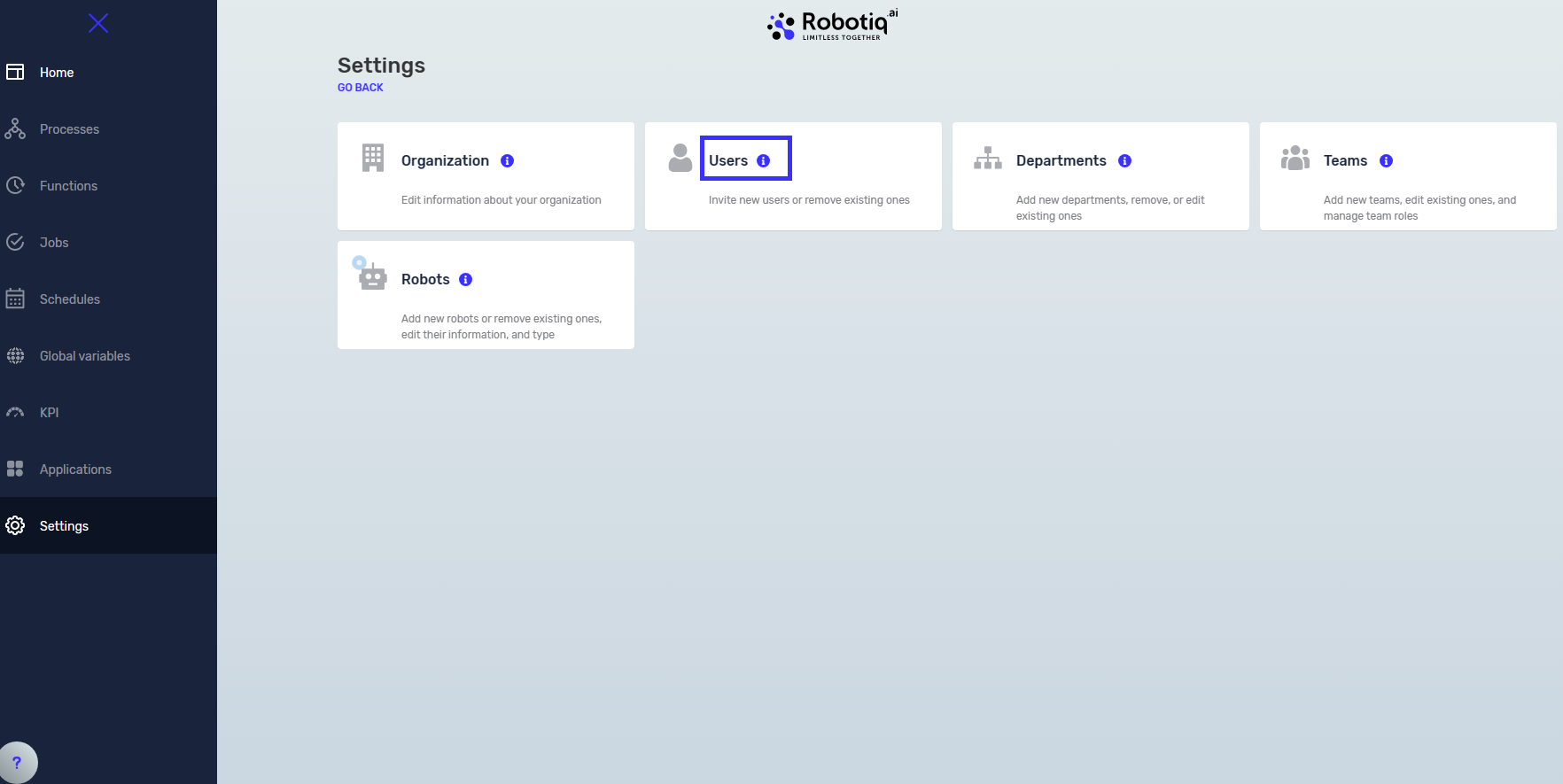
Step 1: Go to User Settings
- Click Settings in the main menu.
- Choose Users.
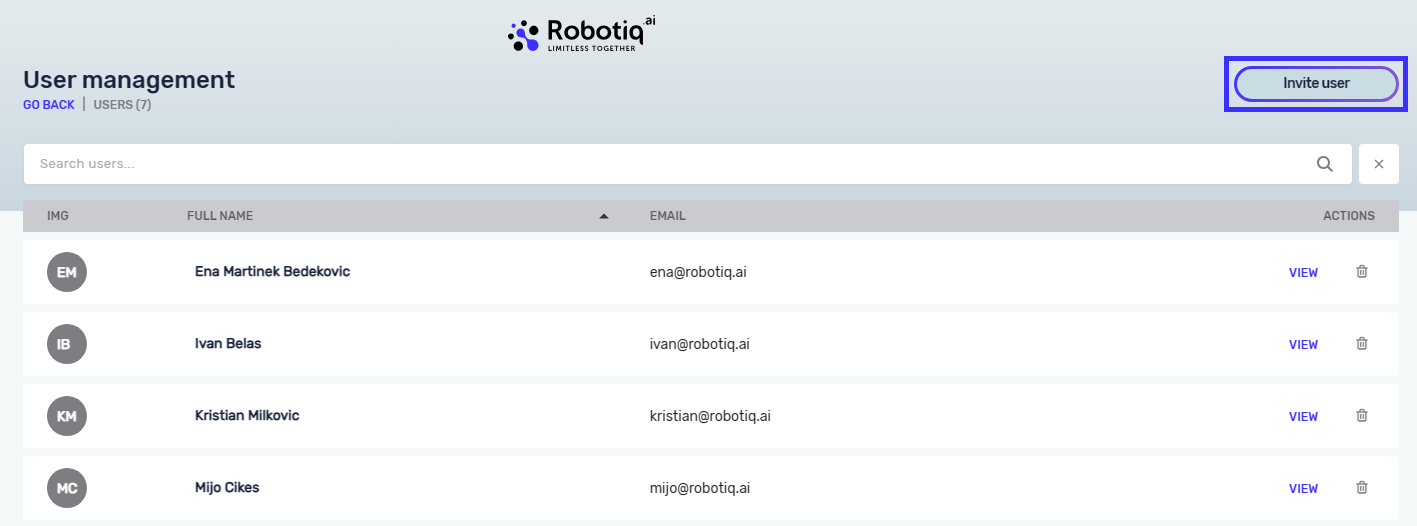
- You'll see a list of everyone in your Organization.
Step 2: Invite a New User
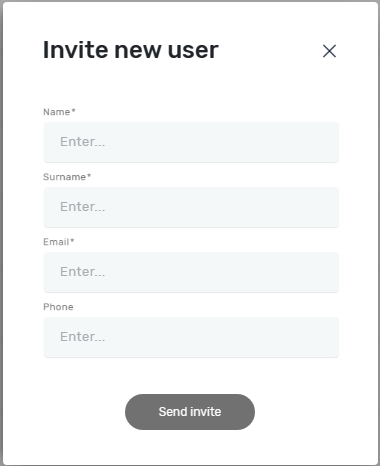
- Click the Invite user button.
- Follow the instructions on the screen to send the invite.
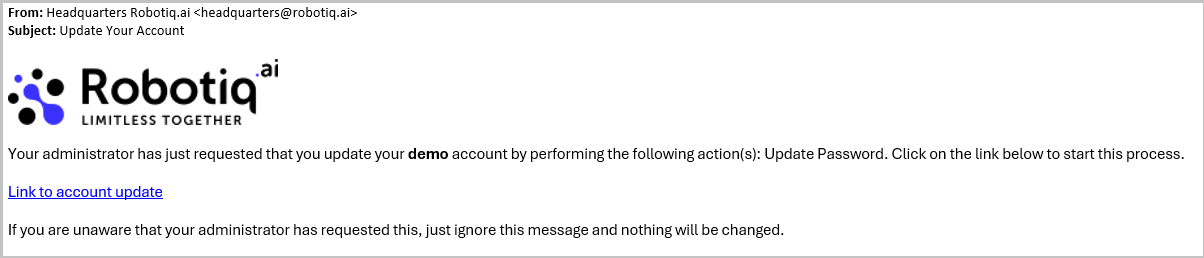
- The new user will get an email with a link to set up their password.
Step 3: Add the User to a Team
Users must be on a team to have any permissions in the system.
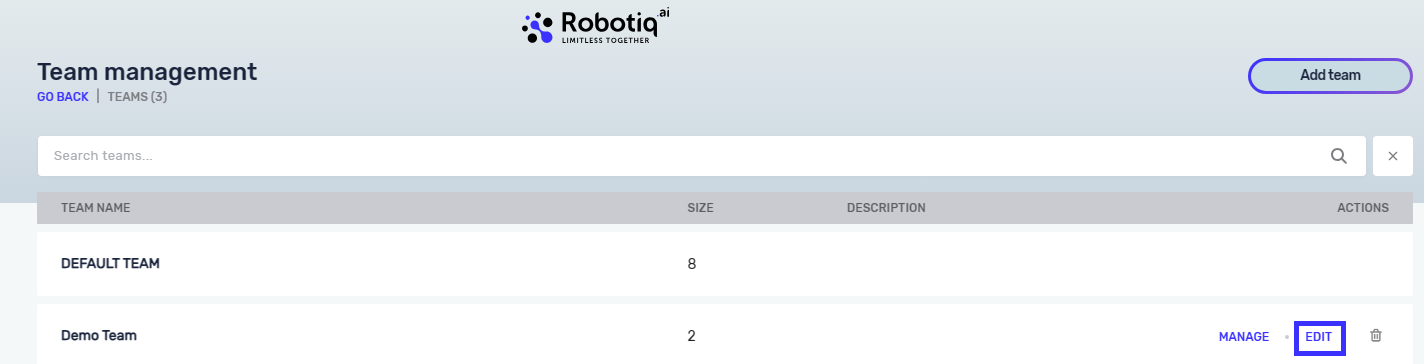
- Find the team you want to add the user to.
- Click the Edit button next to that team.
- Add the new user to the team.
Important: If you don't have a team yet, you need to make one first.
Related Articles
Need Help?
Can't find what you're looking for? Join the Robotiq Community to get help from other users and the Robotiq team.