Pause Step
The Pause Step stops your process for a set amount of time. You use it to control when things happen in your automation.
How to Use the Pause Step
Add a Pause Step to your process when you need to add a delay. This helps when you're waiting for applications to load or for things to show up on a screen.
Step 1: Add the Pause Step
- Drag the "Pause Step" from the available steps into your process flow.
Step 2: Set the Waiting Time
- Click on the Pause Step in your process.
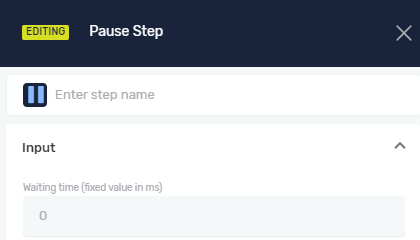
- Type the waiting time in milliseconds (ms) into the "Waiting time" field.
Important: 1 second is 1000 milliseconds. For example, type 5000 to pause for 5 seconds.
Parameters Explained
Step name (Optional)
- A custom name for this step in your process.
- Example:
Wait for Page Load - Use this to make your process easier to understand.
Waiting time (Required)
- How long, in milliseconds, the process will pause.
- Example:
3000(for a 3-second pause) - Use this to make sure the robot waits long enough before doing the next thing.
Related Articles
Need Help?
Can't find what you're looking for? Join the Robotiq Community to get help from other users and the Robotiq team.