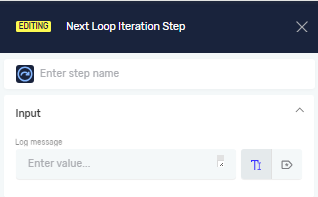
Next Loop Iteration Step
The Next Loop Iteration step moves a process to the next cycle in a loop right away. Use it when you want to skip the rest of the steps in the current loop and start the next one.
What You'll Need
- A process that has a loop step.
- You should know how loop steps work.
How to Use Next Loop Iteration Step
Put this step inside any loop to skip the current cycle.
Step 1: Add the Next Loop Iteration Step
- Drag and drop the Next Loop Iteration step into your process flow.
- Place it inside a loop step, like a Do While or While Loop.
Important: This step only works when it's inside a loop. It won't show up as an option if you're not in a loop.
Parameters Explained
Step Name (Optional)
- A custom name for the process step.
- This name shows up on the editor's process step box.
Log message (Optional)
- A message to send to the HQ log.
- Use this to explain why the process went to the next cycle.
Related Articles
Need Help?
Can't find what you're looking for? Join the Robotiq Community to get help from other users and the Robotiq team.