
Departments and Teams
Robotiq.ai organizes your automation environment using Organizations, Departments, and Teams. This structure helps you manage users, access, and automation processes.
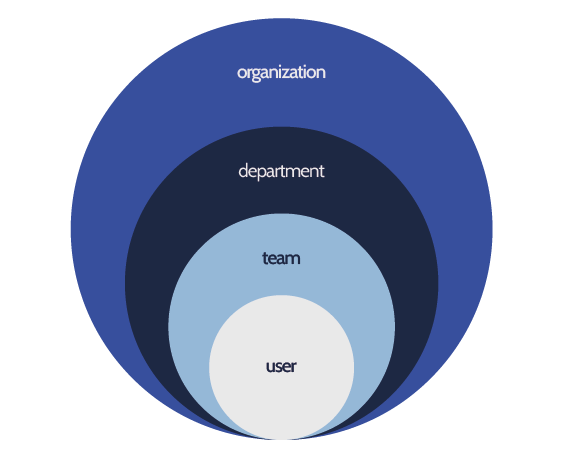
How Robotiq.ai Organizes Access
Robotiq.ai uses a structured way to manage your automation resources and user permissions.
Organization
An Organization is the top level of your Robotiq.ai environment. It holds all your data in a separate database.
Department
Departments are business units within your Organization. Examples include a Financial Department, HR Department, or Back Office Department. Each Department can have many Teams.
You can learn how to add new departments to your organization.
Team
Teams are groups of users within a Department. Users' permissions depend on the Teams they belong to.
You can learn how to add new teams to your organization.
User
Users are people who access the Robotiq.ai platform. An Organization Administrator invites users to the platform. Users get permissions based on their Team assignments.
You can learn how to add new users to your organization.
Teams and Security Roles
Teams are assigned a security role within a Department. These roles define what actions users in that Team can do.
Robotiq.ai has three security roles:
1. Organization Administrator
- Has full access to everything across the entire Organization.
- Can invite users, register robots, and manage Teams and Departments.
2. Department Administrator
- Has full access within a specific Department.
- Can manage resources and users only within their assigned Department.
3. Department Contributor
- Has the same access as a Department Administrator, but cannot publish processes to production.
- Can develop and test processes within their assigned Department.
For more details on access control, see:

Need Help?
Can't find what you're looking for? Join the Robotiq Community to get help from other users and the Robotiq team.