
Robotiq.ai Dashboard
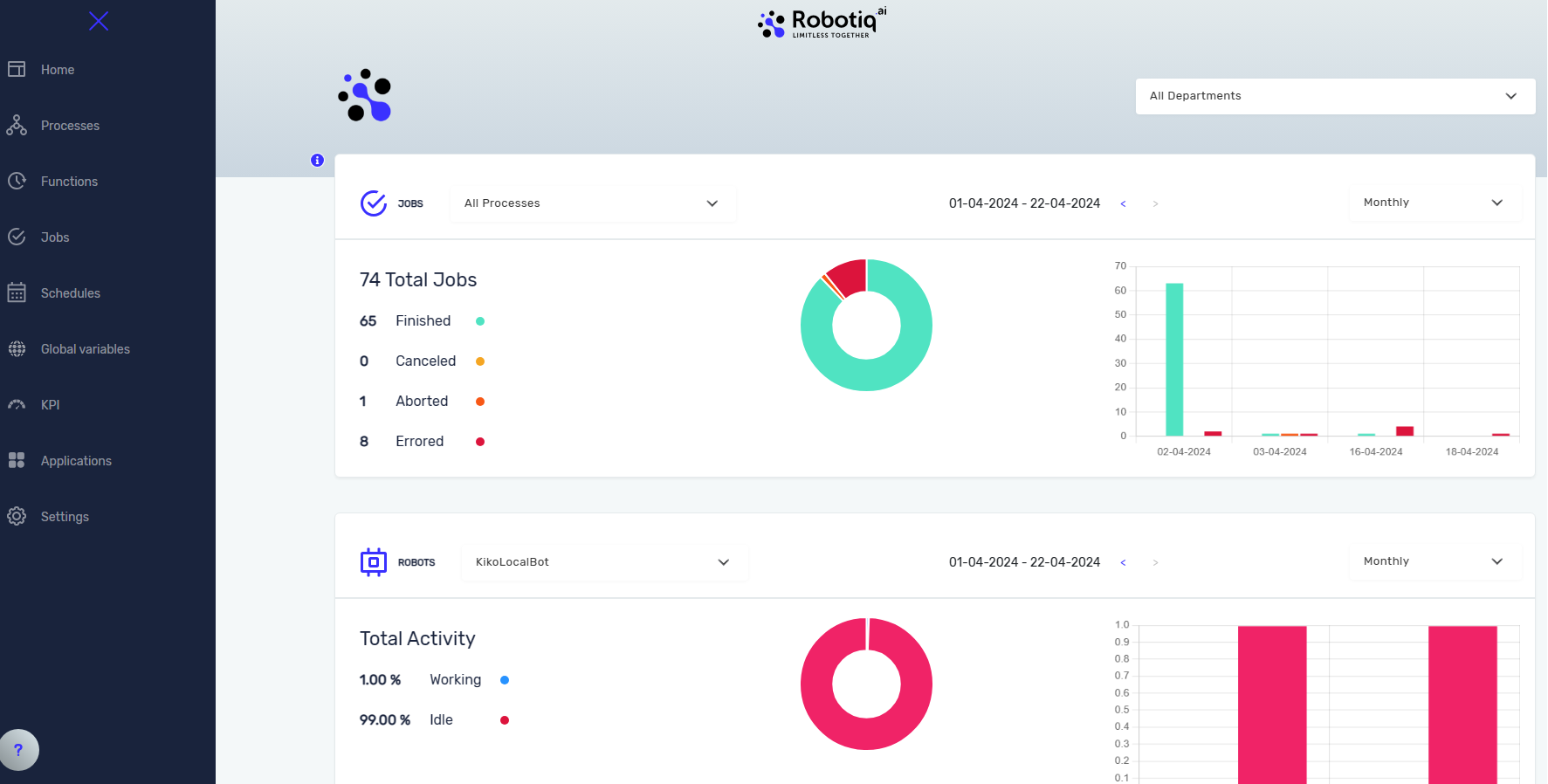
The Robotiq.ai Dashboard shows you what's happening with your automated jobs and robots. You can use it to keep an eye on how well your processes are running and how much your robots are working.
How to Use the Robotiq.ai Dashboard
The dashboard gives you two main kinds of information: job status and robot activity.
View Job Status
You can see the status of your automated jobs on the dashboard.
- This section only shows jobs that are in the Production stage.
- You can look at statistics by month, week, or day.
- You can narrow down these statistics to one or more specific processes.
View Robot Statistics
The dashboard also shows you information about your robots.
- This chart shows the total time a robot has been working.
- It includes time spent overall, during Test stages, and during Production stages.
Related Articles
Need Help?
Can't find what you're looking for? Join the Robotiq Community to get help from other users and the Robotiq team.