
Change robot status to "Not Available" before update
Before you manually update your Robotiq.ai robot, you need to set its status to "Not Available." This stops the robot from starting new tasks while it's being updated.
What You'll Need
- Access to the robot's virtual machine (VM)
- Administrator permissions on the VM
How to Change Robot Status to "Not Available"
Follow these steps on your robot's virtual machine to stop the Robotiq.ai Gatekeeper service.
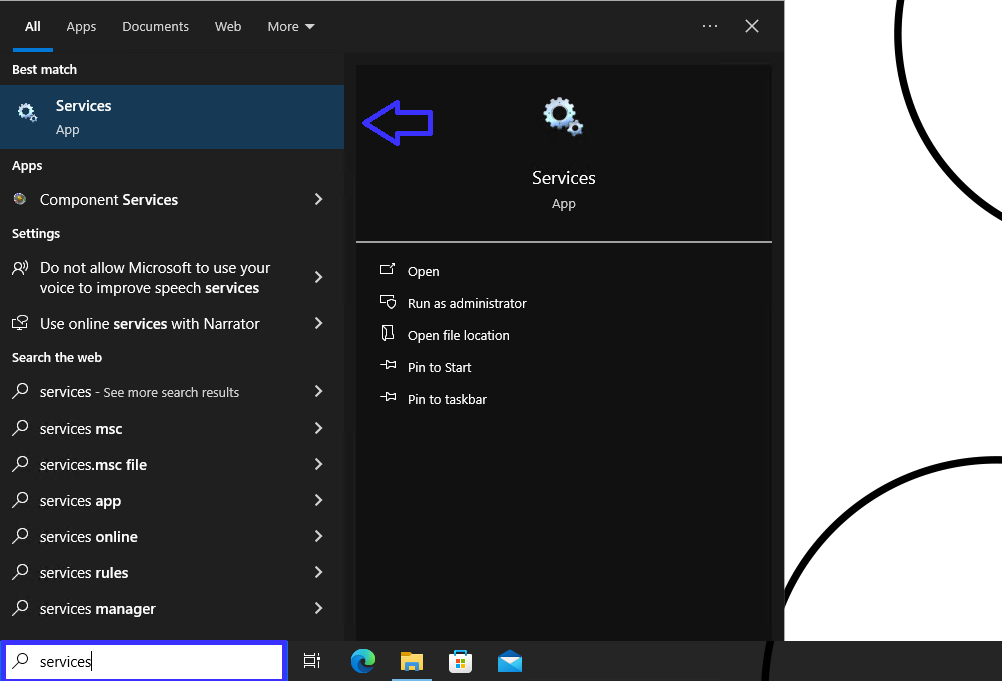
Step 1: Open Services
- On the robot's virtual machine, type "Services" into the Windows search bar.
- Click to open the Services desktop app.
Step 2: Stop Robotiq.ai Gatekeeper
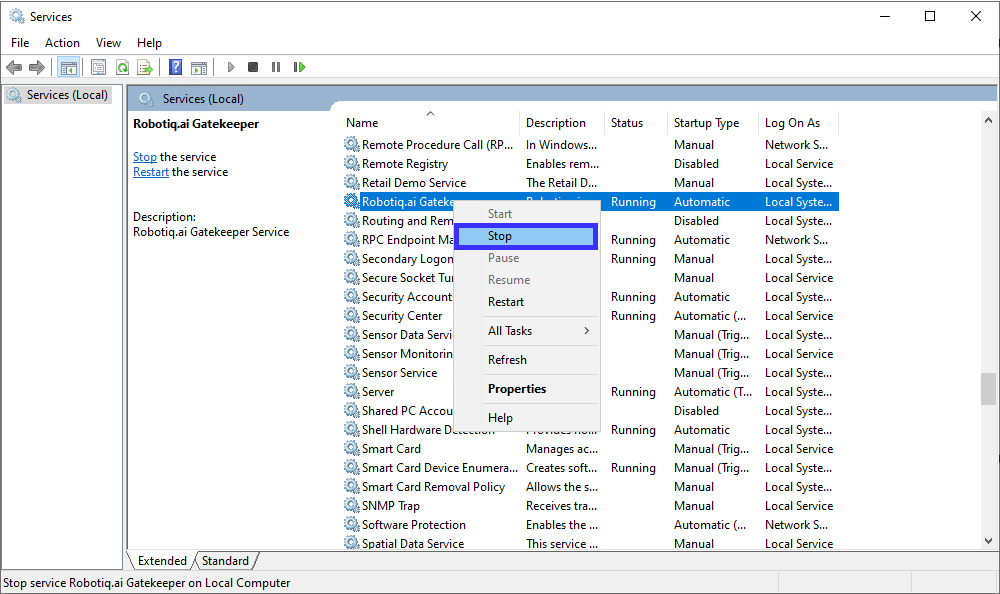
- In the Services window, find Robotiq.ai Gatekeeper.
- Right-click on Robotiq.ai Gatekeeper.
- Choose Stop from the menu.
Important: Make sure the service status shows "Stopped" before you update the robot.
Related Articles
Need Help?
Can't find what you're looking for? Join the Robotiq Community to get help from other users and the Robotiq team.