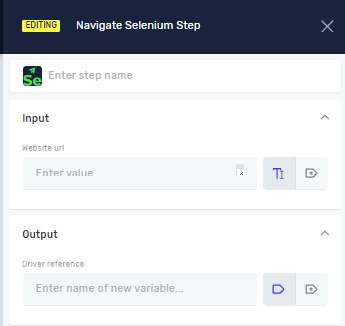
Navigate Selenium Step
This article explains how to get started with the Robotiq.ai platform. You will learn how to log in and find your way around the main interface.
What You'll Need
- An active Robotiq.ai account
- Your login details (email and password)
How to Use the Platform
Follow these steps to get into and use Robotiq.ai.
Step 1: Log In to Your Account
- Open your web browser.
- Go to the Robotiq.ai login page.
- Type your registered email address in the "Email" field.
- Type your password in the "Password" field.
- Click the "Log In" button.
Important: If you forget your password, use the "Forgot Password?" link on the login page.
Step 2: Understand the Main Dashboard
After logging in, you will see the main dashboard. This is where you manage all your automation workflows.
- Navigation Menu: On the left side, this menu lets you go to different parts of the platform, like Workflows, Integrations, and Settings.
- Quick Access Widgets: The main part of the dashboard shows widgets for quick access to recent activities, workflow statuses, and system alerts.
- User Profile: Click your profile icon in the top right corner to change your account settings or log out.
Related Articles
- Managing Your Robotiq.ai Account
- Creating Your First Workflow
Need Help?
Can't find what you're looking for? Join the Robotiq Community to get help from other users and the Robotiq team.