
Next release- coming soon
Set to be released on February 2, 2026
New Development Robot
We’re introducing an improved Development Robot designed to simplify setup, improve visibility, and enhance the overall development experience — without impacting production environments.
Simplified Development Robot Setup
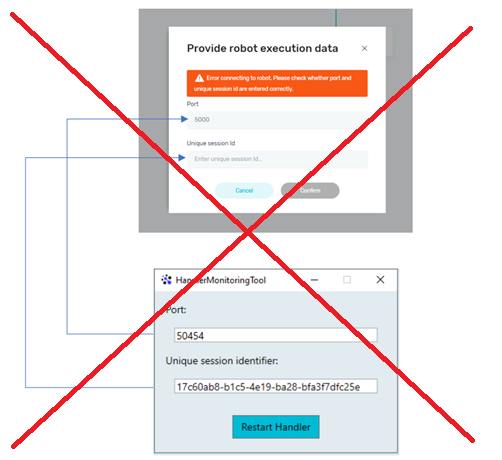
The Development Robot has been streamlined: there is no longer a need to manually define a port or session ID. By default, the DevelopmentBot (Electron Application) starts minimized to avoid visual distractions and focus issues while your process is running. This ensures your automation can run smoothly without interfering with your workflow.
Enhanced Logging & Execution Insights
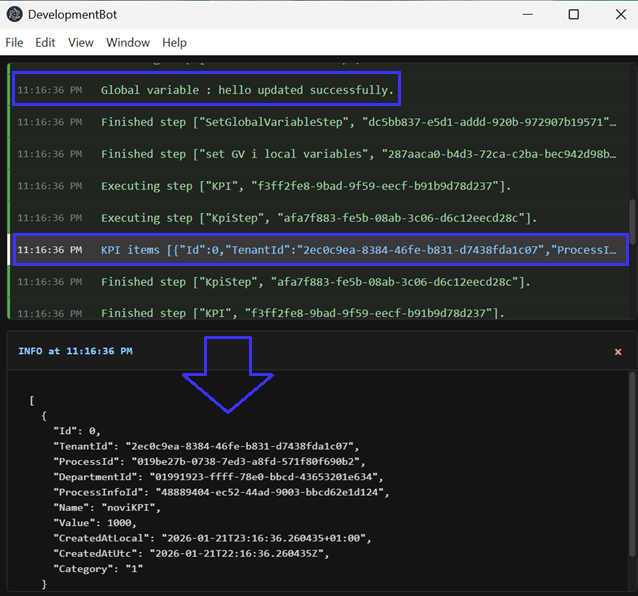
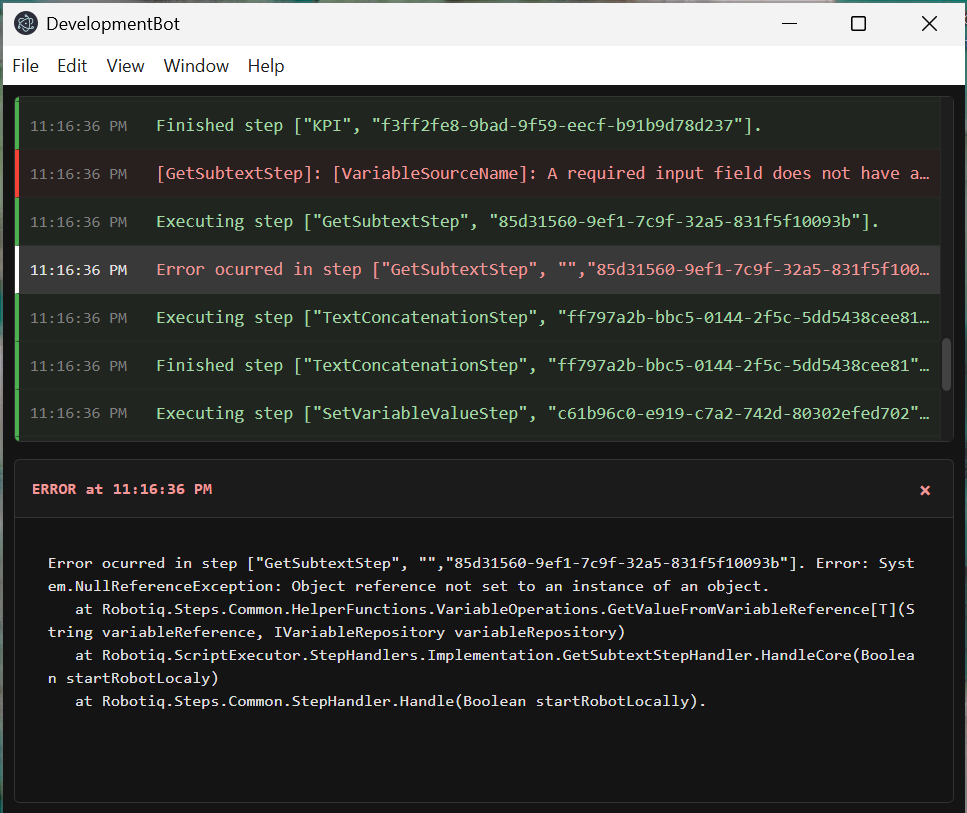
The new logging experience provides more transparency and control: step-by-step execution logs with timestamps showing when each step was executed and detailed information about external updates, including:
- Global variables
- KPIs
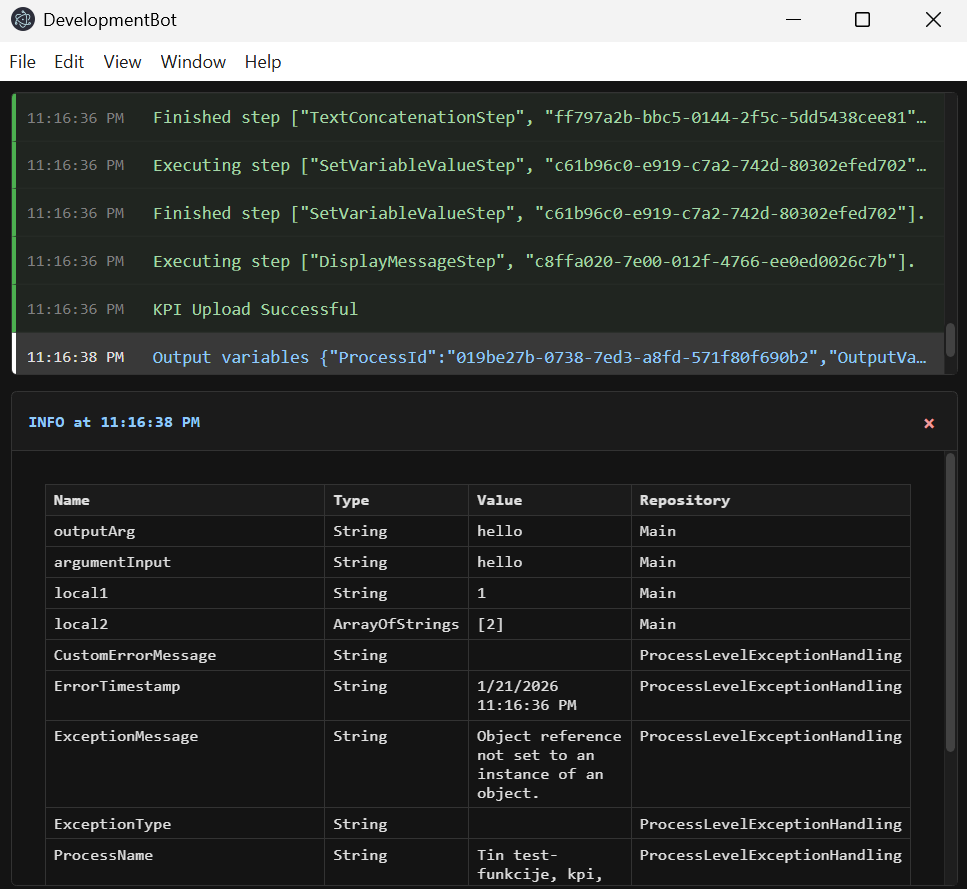
At the end of the execution, you can review all variables stored in the Variable Repository after the process has completed This gives you full visibility into what happened during execution and the final state of your data.
Requirements & Compatibility
To use this new Development Robot experience, you must install the latest version of the robot, available on HQ under Download Robot,
or update already registered robots directly from HQ, if you plan to run the Development Robot on its VM
NOTE: These changes do not affect the unattended robot used in production, and therefore will not impact any production processes.
Version Choice & Backward Compatibility
If you are not yet able to install the latest robot version, you can choose which Development Robot version to use:
- Legacy version (with port and session ID) - enabled by default
- New Development Robot with Electron application and the latest robot version (3.0.9505.0)
To enable the new version, simply turn on the toggle “Use latest DevelopmentBot” located on the right side of the top toolbar.

Log Visibility Options
When using the latest Development Robot logs are minimized by default. You can choose to disable log minimization, which is especially useful for background process, automations without a GUI and real-time monitoring of Development robot activity
